 SERENALIN.DESIGN
02 · Device Configuration & Resilience
Designing Resilient Device Configuration UX
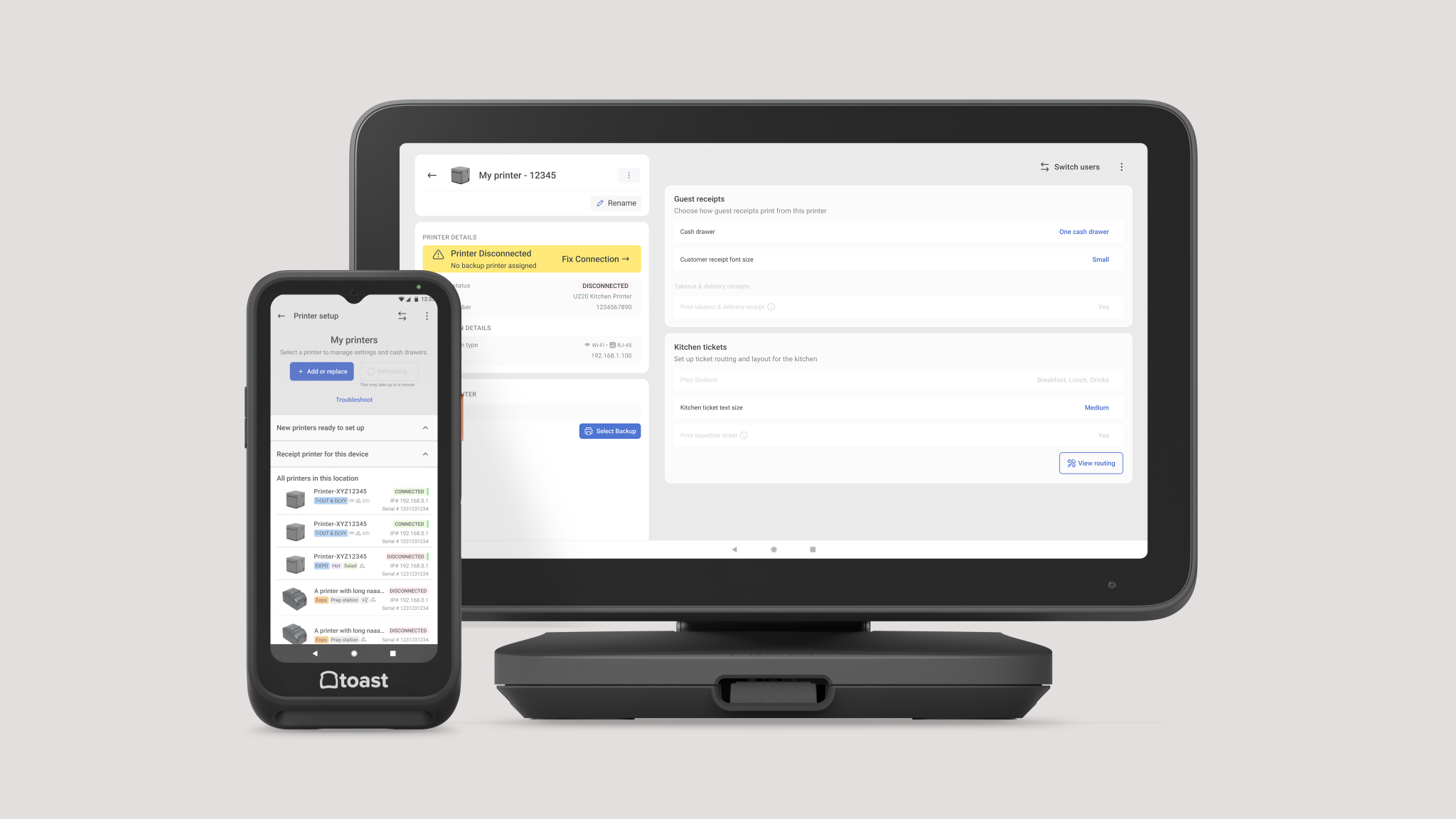
Transforming complex hardware configuration into guided, task-oriented workflows that improve efficiency across Android point-of-sale devices.
I designed self-service installation, setup, failover, and troubleshooting experiences that bring support directly into the product workflow.
- Role
- Senior Product Designer
- Timeline
- 4 months
- Team
- Device Management, Engineering, Hardware, Customer Support
- Platforms
- Android OS, Web, Connected Device
- Scope
- Strategy, Workflow logic, Design system, UX writing, Interaction design, Service UX
- Status
- Implemented
Challenge
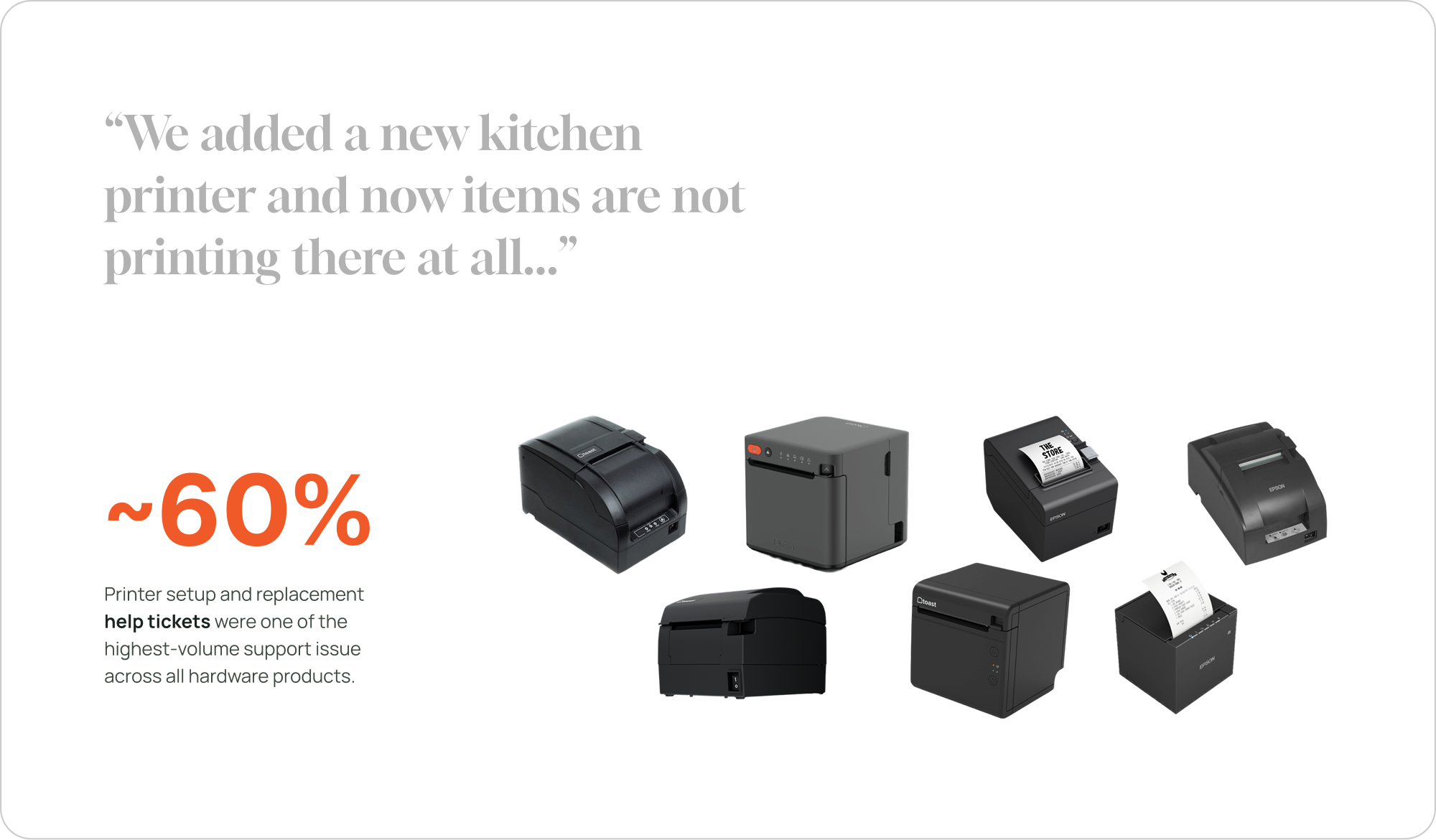
Printer setup and replacement help tickets were among the highest-volume support issues across Toast hardware products.
Insight
Installation did not end when the hardware was connected. Users still had to set up and configure the printer on POS, creating a critical mental-model gap.
Solution
I connected installation, setup, replacement, failover, and troubleshooting into guided workflows that surfaced the right action at the right time.
Impact
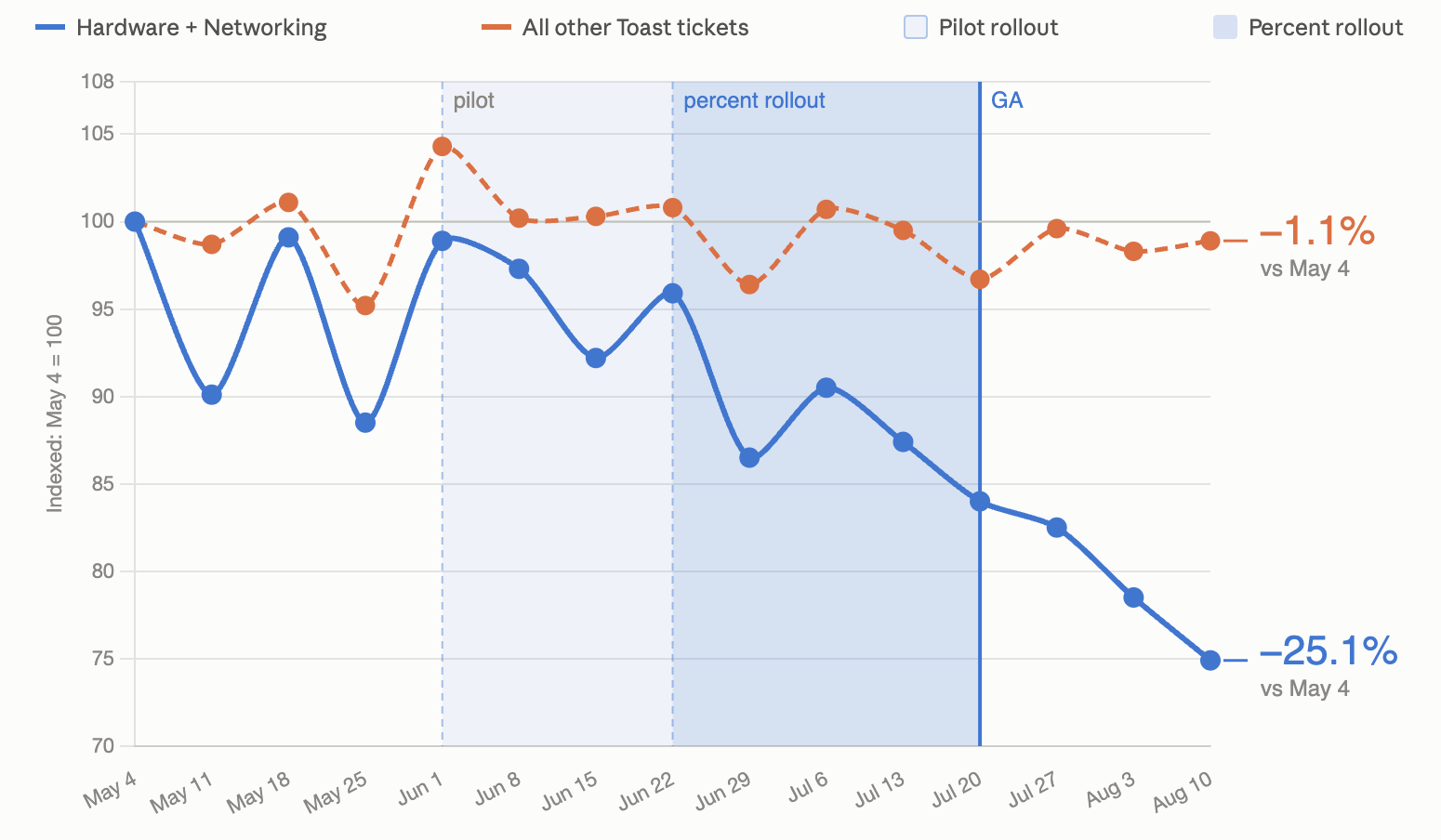
Printer-configuration help tickets have decreased by 25.1% to date, progressing toward a 40% reduction target by the end of 2026.
Challenge
Printer support issues were recurring operational failures
Printer setup and replacement help tickets were among the highest-volume support issues across Toast hardware products (60% in hardware category). Restaurants could complete the physical installation and still discover that orders were not printing where expected.
The problem was not one broken screen. It was a fragmented path across hardware installation, POS setup, routing, configuration, and support.
Insight
Installation did not feel complete when setup continued somewhere else
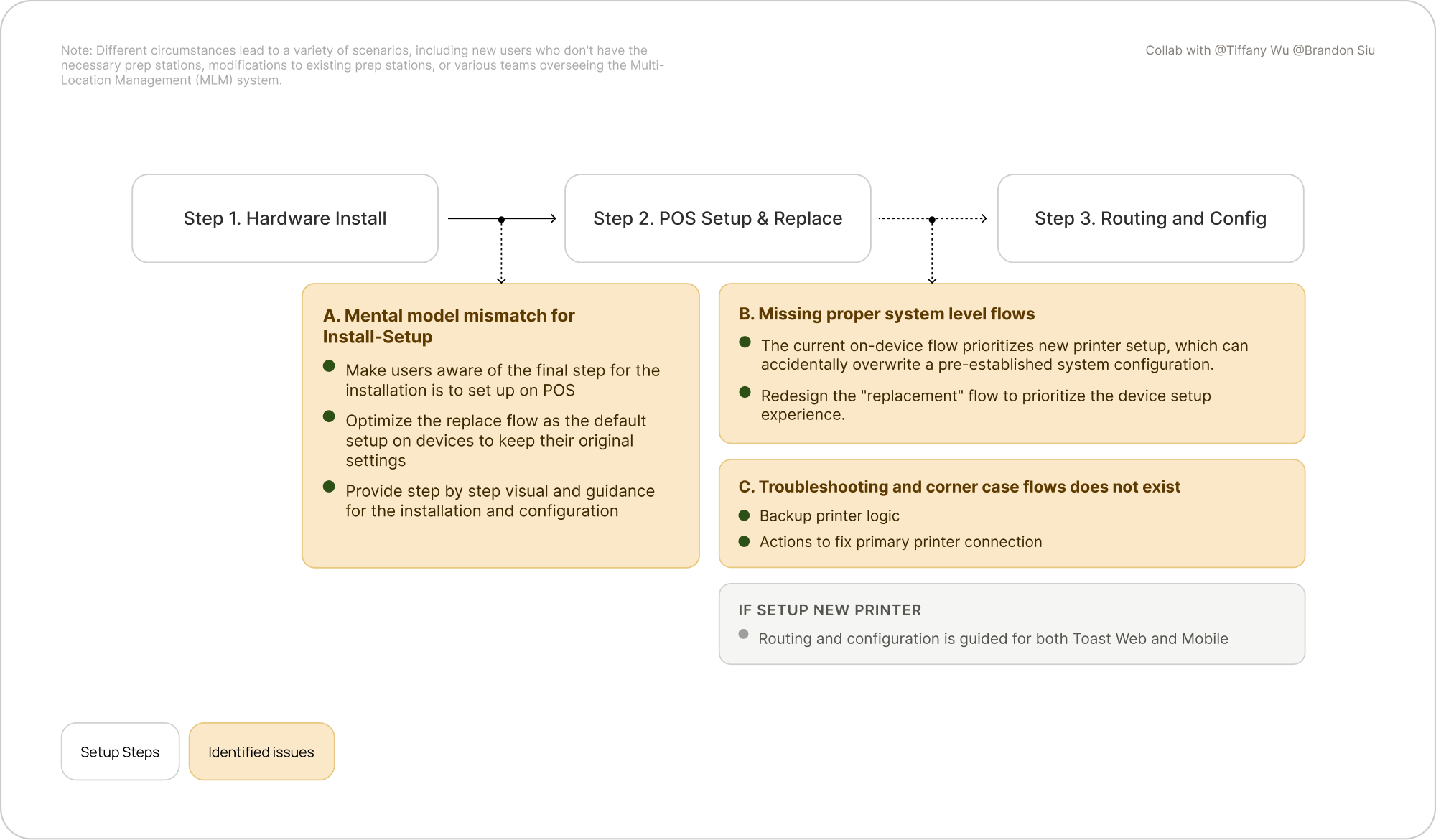
The final step of hardware installation was actually setup and configuration on POS. That hand-off created a mental-model mismatch between install and setup, especially when users had to decide between setting up a new printer and replacing an existing one.
Different restaurant states introduced additional edge cases: missing prep stations, changes to existing prep stations, multi-location management, and backup-printer logic.
Design Principle
Make the next physical and digital action unmistakable
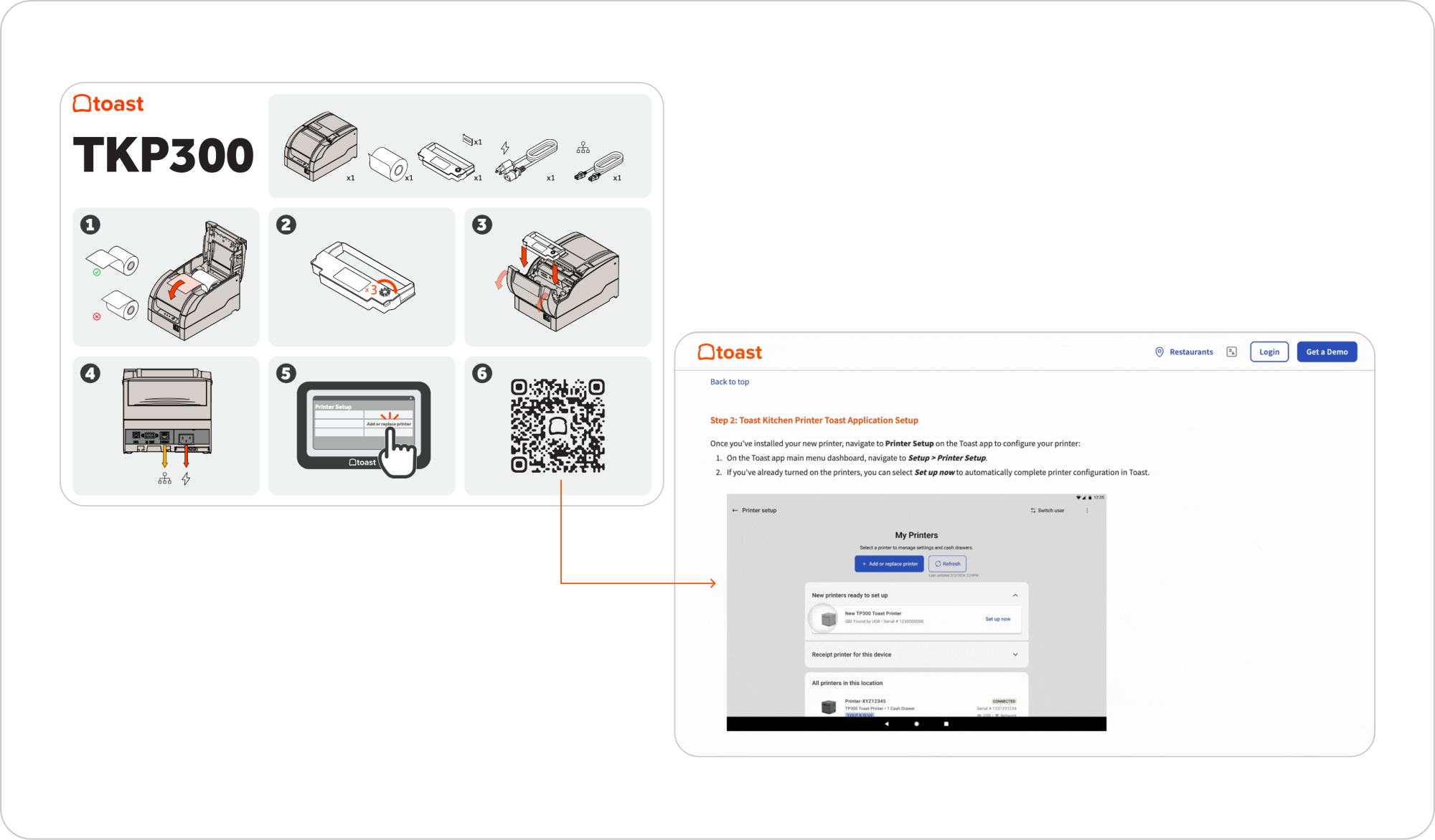
I started the design by leading the positioning and creation of the installation guide, replacing verbose, error-prone instructions with step-by-step visual guidance.
The experience connects hardware installation directly to POS setup or replacement, so users understand what is complete, what still needs attention, and where to act next.
System Resilience
Prioritize the on-device experience first
Prioritizing the on-device experience: I designed an automated printer replacement and configuration workflow that guides users step by step, reducing setup ambiguity and helping them complete the flow without running into preventable issues.
Failover
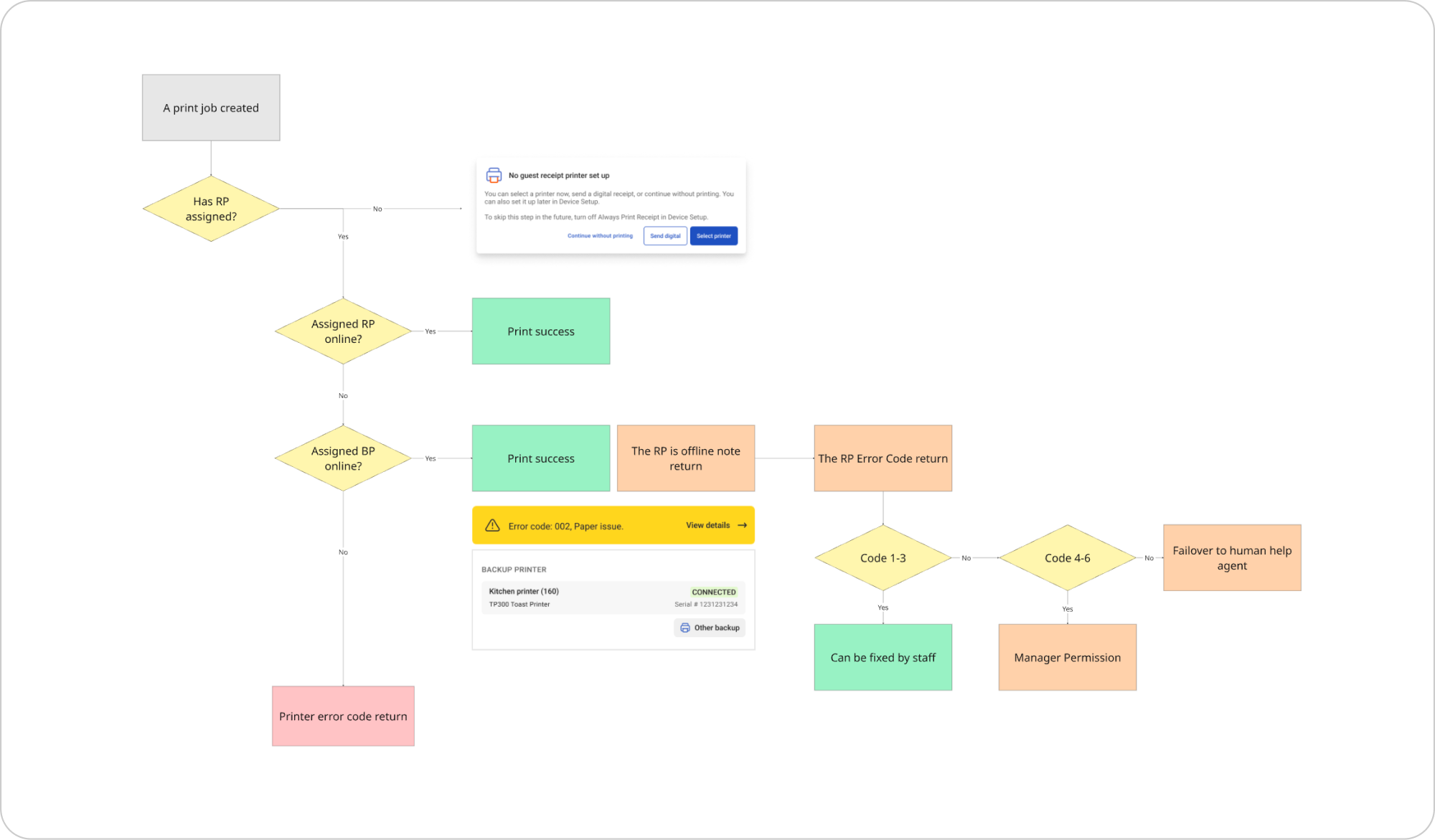
Design failover logic for zero printer downtime
When a primary printer goes offline, a configured backup printer can take over automatically. I led the experience logic for explaining the offline state, identifying its cause, and guiding recovery without interrupting restaurant operations.
Alerts were moved closer to the affected printer information, creating a clearer relationship between the warning, its source, and the next action.
Troubleshooting
Diagnose first, then guide the fix
While designing the information hierarchy on the Printer Details page, I also realized the troubleshooting experience does not exist from the system workflow.
Instead of routing users directly to support, the product uses system diagnostics to identify whether an issue comes from the network, the POS connection, or the printer itself.
Selecting Fix Connection then starts a progressive troubleshooting flow tailored to the detected cause.
Information Design
Make essential printer details glanceable across screen sizes
Users expected to see the information needed to identify a printer and understand its status without extra clicks. Early cards placed too much detail into a small area and did not scale across devices.
I used abbreviations, iconography, grouped information, and restrained status indicators to reduce cognitive load while preserving the detail operators need.
Impact
Support tickets are down 25.1%, progressing toward the year-end target
Printer-configuration help tickets have decreased by 25.1% to date (08/28/2026). The program is continuing toward a 40% reduction target by the end of 2026, while strengthening guided setup, failover alerts, and troubleshooting across the product.
Next project
AI Coach for Employee Onboarding
Turning fragmented onboarding knowledge into a clear, guided experience for new R&D employees and the managers supporting them. Building on an initial structure created in Claude by the R&D Onboarding Manager, I led the AI conversation and platform UX across the New Hire and Manager experiences, and implemented Toast’s Buffet Design System within the product.