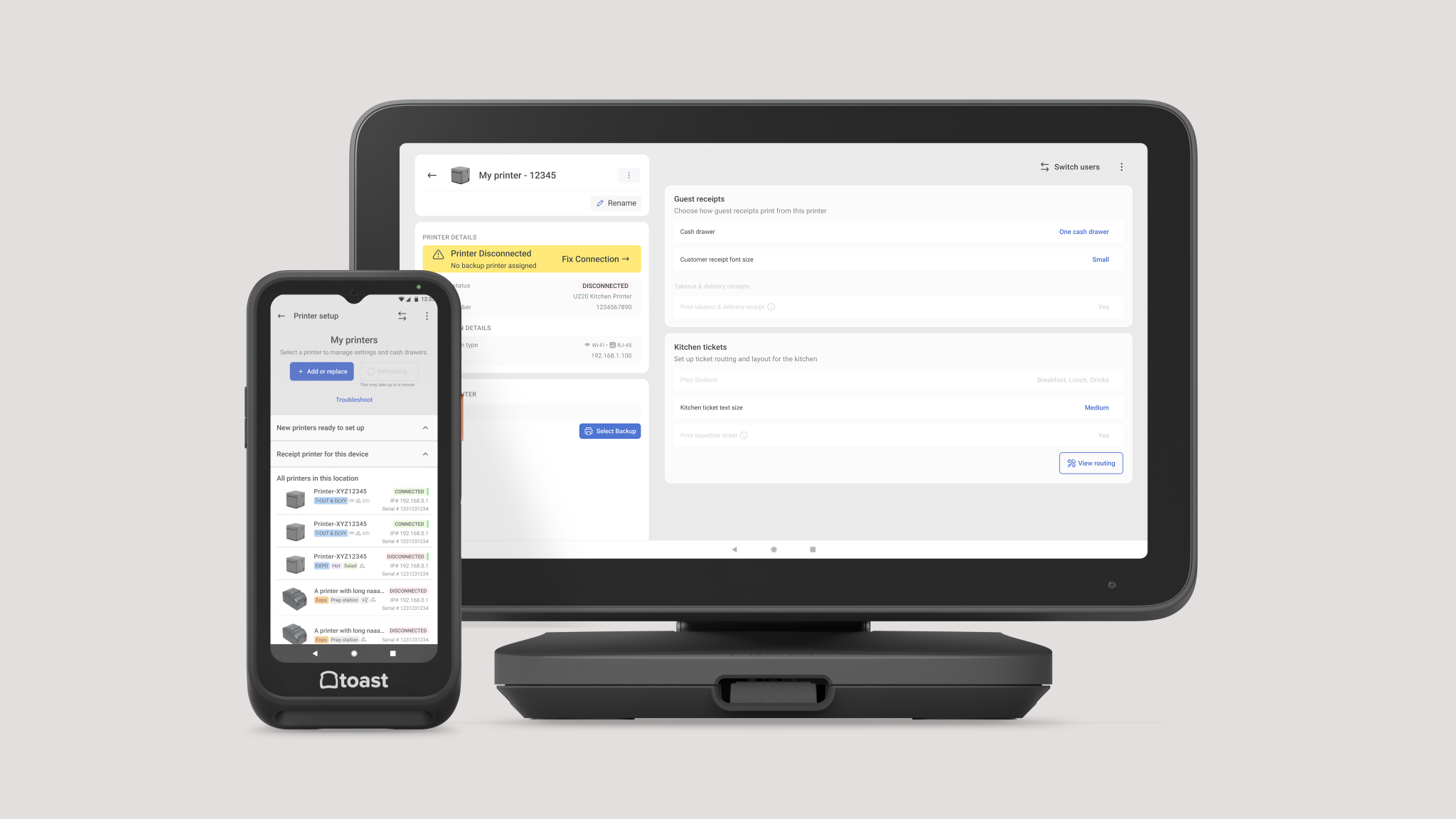
 SERENALIN.DESIGN
01 · Toast Device Onboarding
Simplify Device Setup at Scale
Turning a complex hardware ecosystem into a guided, low-friction setup experience for restaurant teams.
I designed a scalable onboarding system for Toast’s hardware ecosystem, simplifying setup across devices, configurations, and different restaurant environments.
- Role
- Senior Product Designer
- Timeline
- 9 months
- Team
- Toast Now, Onboarding, Engineering, Hardware, Enablement
- Platforms
- Android OS, Web, Custom Hardware
- Scope
- Strategy, Design system, UX writing, Interaction design
- Status
- Implemented
Challenge
Toast’s diverse and growing hardware ecosystem created increasingly complex setup paths, while restaurant teams were expected to complete installation during an already high-pressure opening process.
Insights
Research showed that setup was only one small step within a much larger restaurant-opening journey, making cognitive load and clarity more important than perfect completeness.
Design
I translated device setup into step-by-step workflows and a guided, interactive experience, surfacing only the instructions relevant to each restaurant's configuration and guiding them through their current state and next steps.
Impact
A unified onboarding foundation was built across Toast's connected-device portfolio, enabling key platforms—Toast Now, Toast Help Center, POS, and Handheld—to seamlessly support the end-to-end workflow.
Challenge
Setup was becoming too complex for something users just have to get through
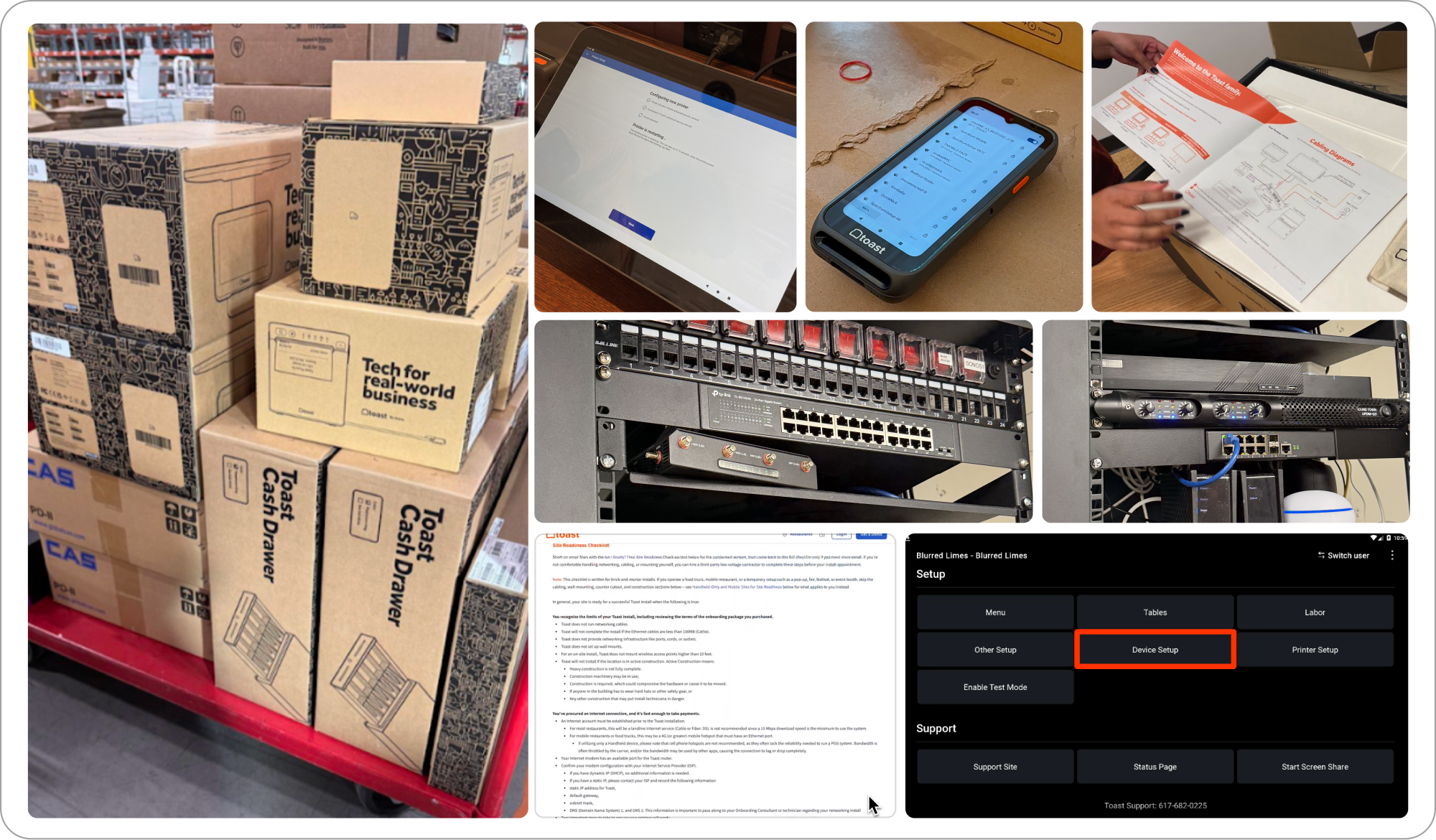
Toast manages a wide hardware ecosystem, including proprietary and third-party devices. As the lineup grew, support channels struggled. Toast sent onboarding consultants and technicians to support setup, costing up to $10M annually. Static guides and dense docs couldn't keep up, leaving teams without clear, step-by-step help for setup or troubleshooting.
Insight
The complexity belonged in the system, not in the user’s head
Restaurant operators were frequently setting up, configuring, or troubleshooting devices in fast-paced, high-pressure environments—often during a busy service or a tight launch window. Because of this, the setup experience needed to be carefully streamlined, surfacing only the next relevant step at any given moment rather than exposing the full complexity of the underlying architecture.
Design Principle
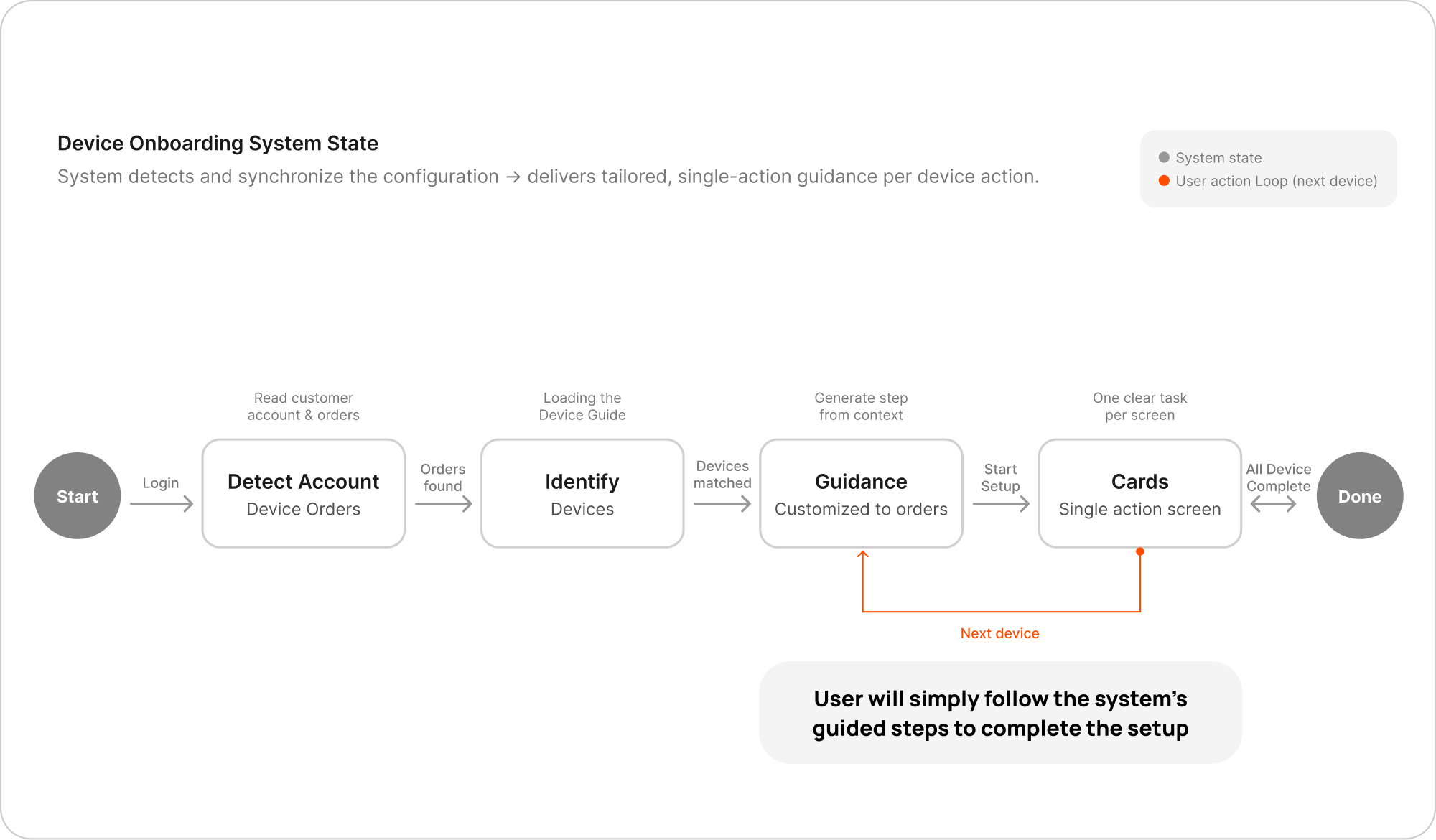
The system understands the configuration; users only need to follow.
Instead of cramming all the instructions into one location and leaving users to figure it out, I designed the onboarding flow around real device interactions and installation logic.
The system automatically detected each customer's account setup and hardware orders, then delivered tailored guidance for every stage of the process. By focusing each screen on one clear action, the experience reduced cognitive load, minimized errors, and helped operators move confidently—even under tight time pressure.
Design system
Translate the hardware interaction into digestible flows
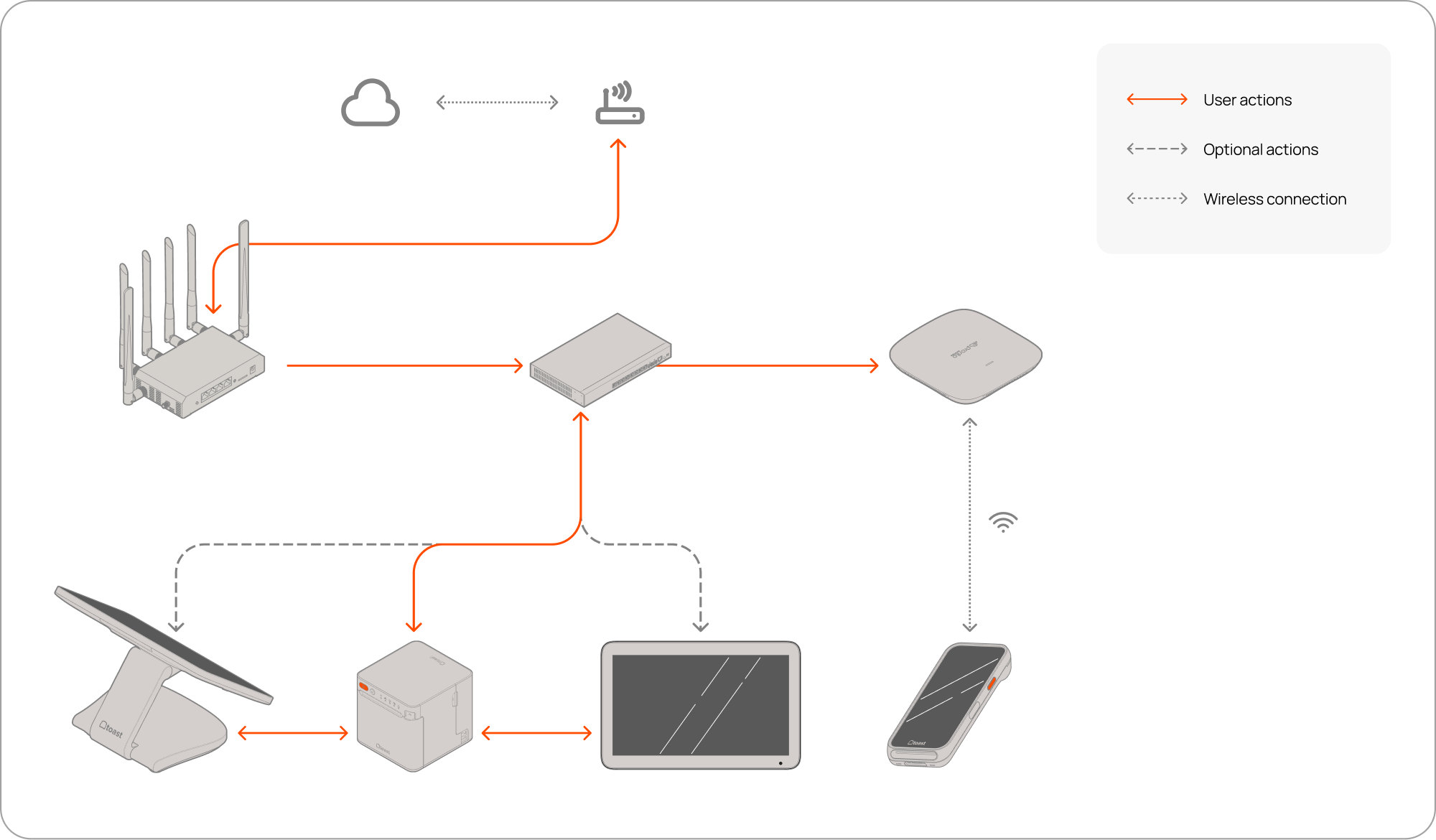
Complex hardware interactions were distilled into clear, step-by-step flows that guided users through each stage—from network configuration to device pairing to on-device setup. By breaking intricate technical processes into simple, sequential tasks, the interface removed ambiguity, gave users confidence at every step, and kept the experience lightweight and intuitive.
Logic
Scalable design logic for multi-device connection hierarchy
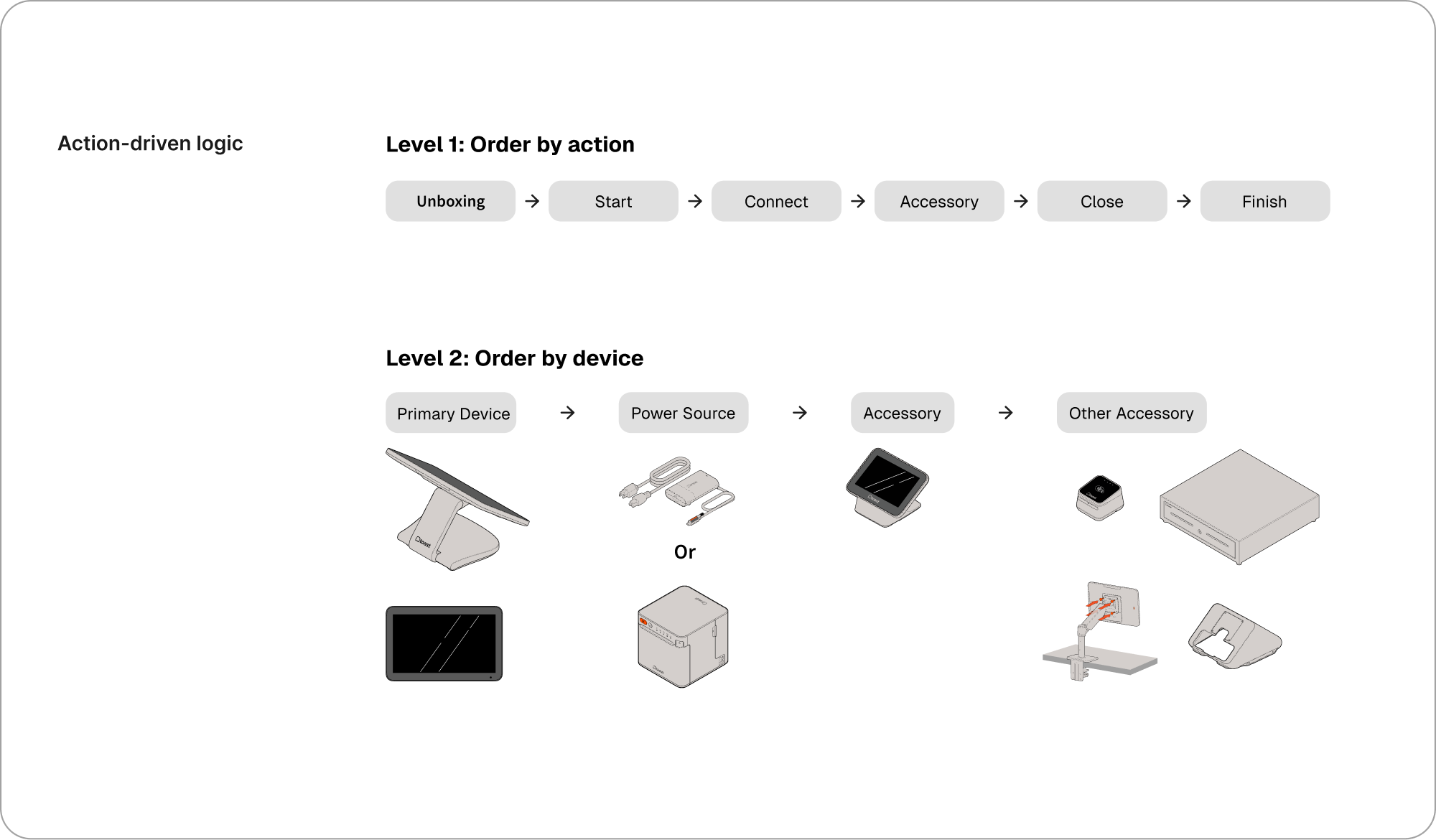
Since Toast hardware supports a wide range of product configurations, I developed an action-based installation system in collaboration with the Toast Now software team to manage the workflow. This system streamlines development, reduces complexity, and ensures consistency across different hardware combinations.
Level 1: Order by Actions — Covers the fundamental steps of installing a single device: unboxing, starting, connecting, adding accessories, and finishing (i.e., completing the installation and powering on the device).
Level 2: Order by Device — Follows the device sequence when multiple devices are involved within the same color group.
UX Flow
Build a framework, not just one single flow
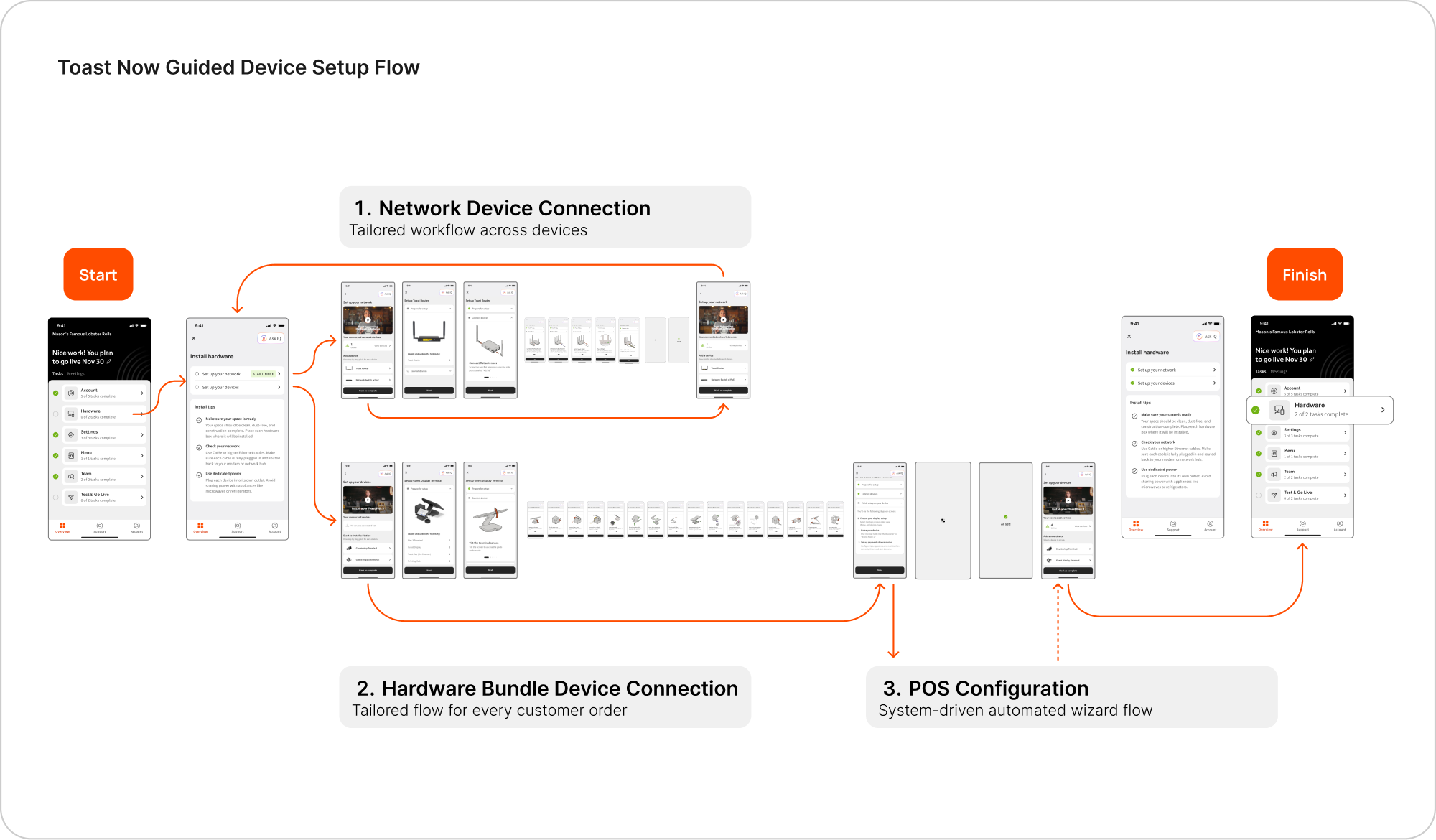
Every setup followed the same sequence:
- Network Setup
- Device Setup
- On-Device Configuration
Installation was equally streamlined for each device:
Open → Connect → Peripherals → Power On → Configure.
The system validated actions automatically wherever possible, minimizing manual confirmation and reducing cognitive load.
Design Iterations
Design for when setup does not go as expected
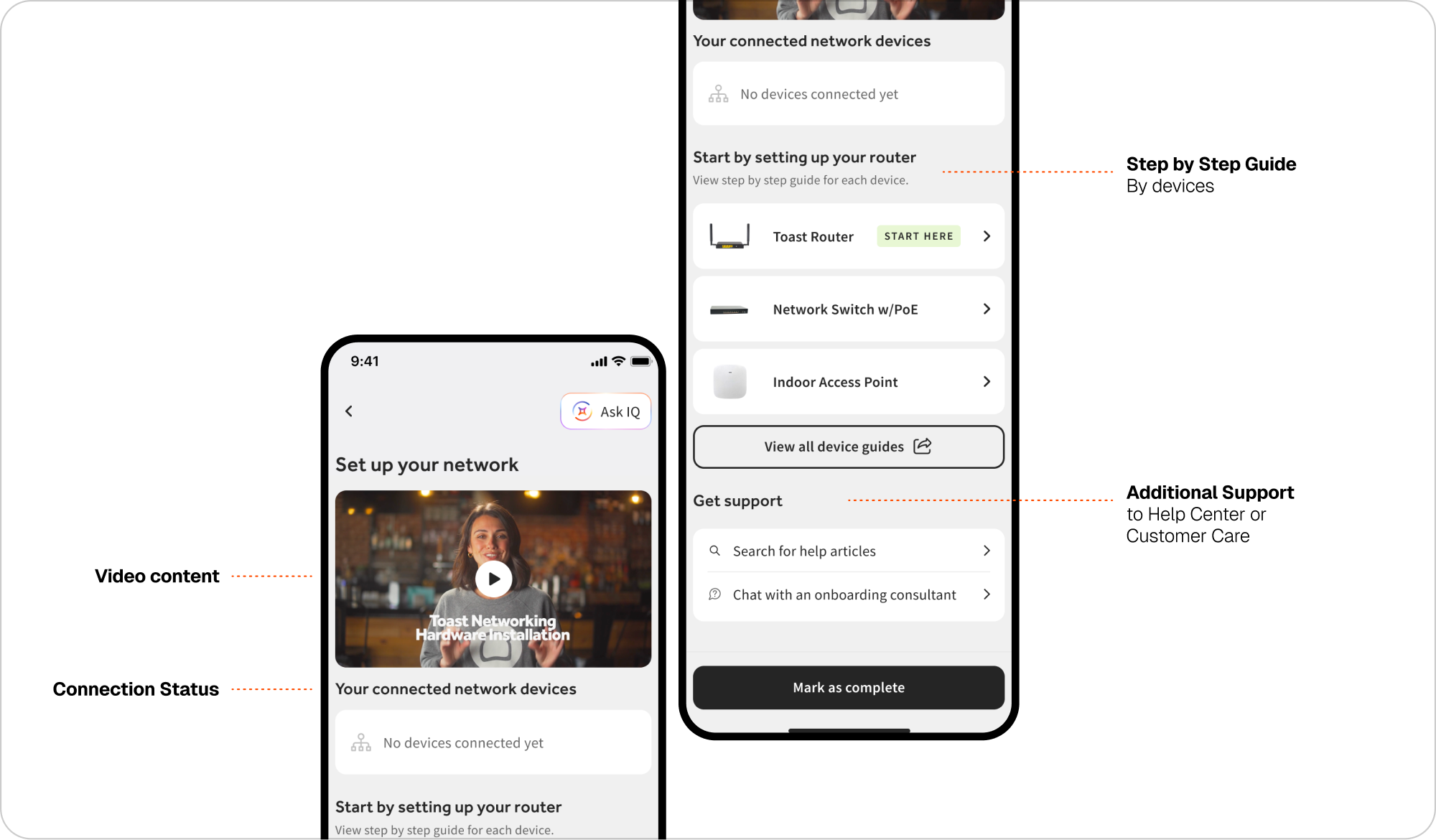
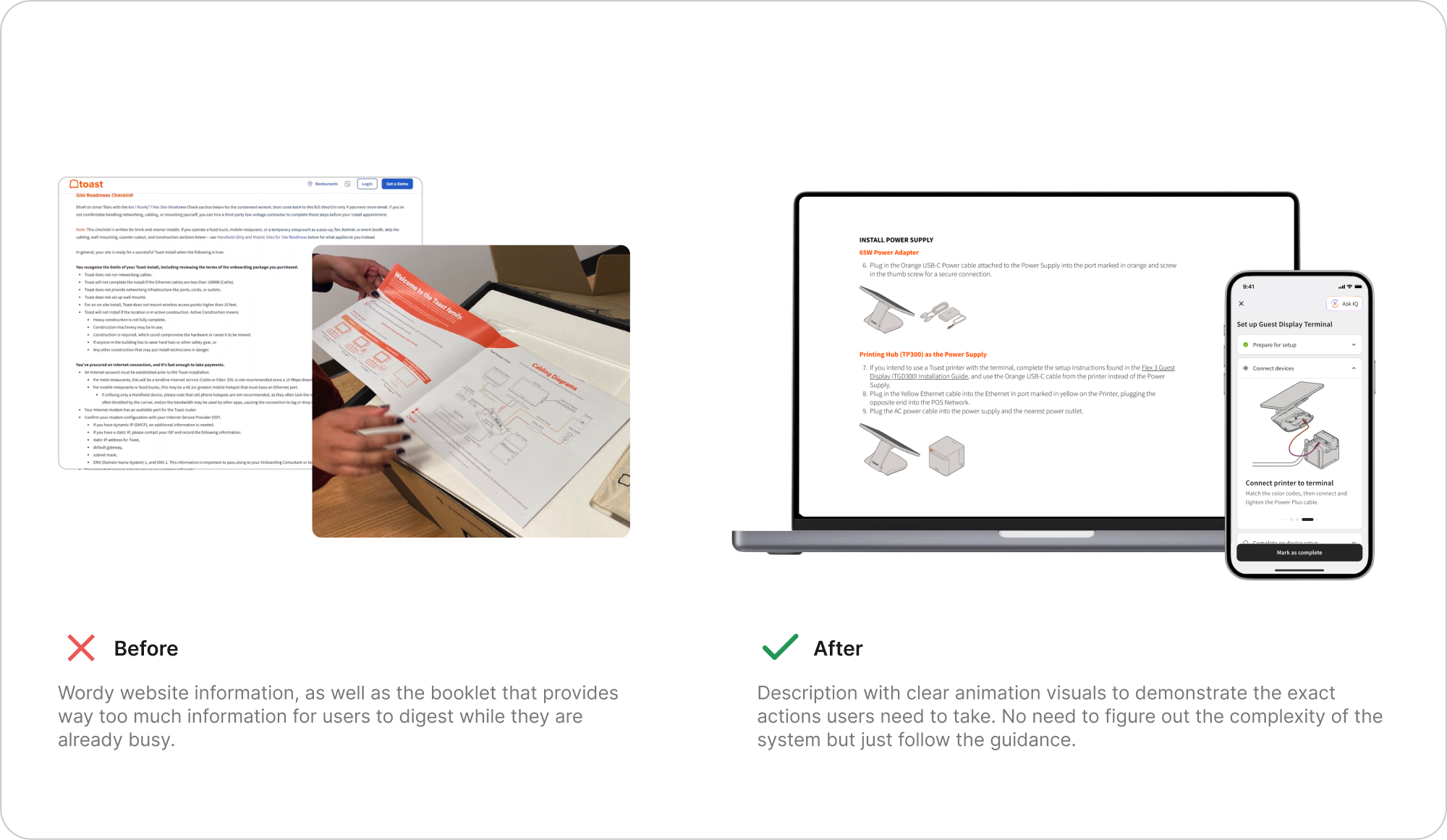
I redesigned key areas of the setup flow where users weren't progressing as expected—such as missed steps and skipped devices—to improve the success rate along the happy path. At the same time, we discovered that user habits vary widely across individuals and organizations: some rely on videos, while others prefer paper guides. Throughout, we ensured the design system remained consistent across both hardware and software while still offering all the help options a user might need.
Impact
The workflow became reusable for major product platforms at Toast
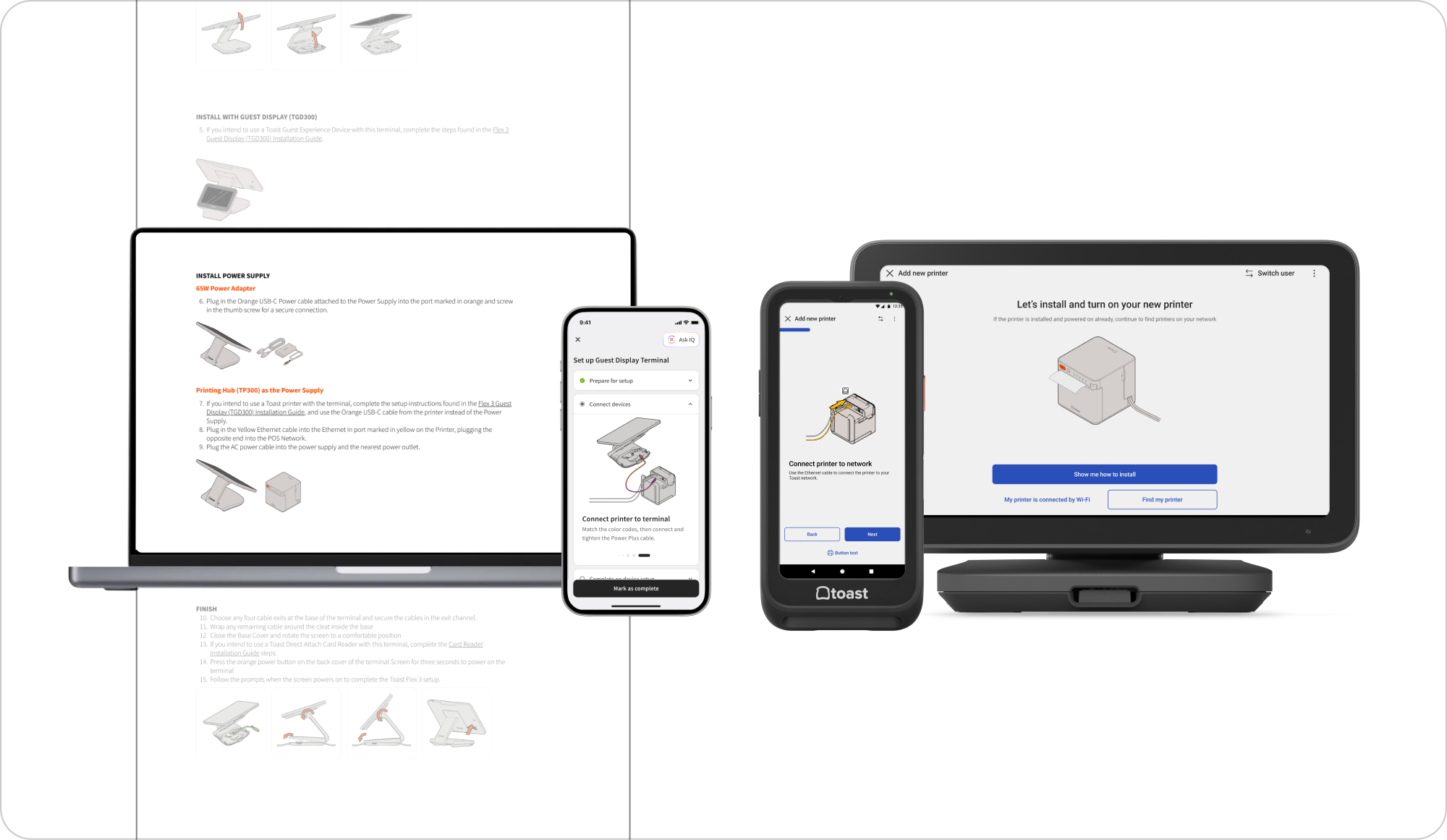
This work established a unified guidance framework spanning Toast's entire device ecosystem—including Toast Now, Help Center, POS, and Handheld. It laid the groundwork for future device onboarding, troubleshooting, and international rollout experiences.
Reflect
Build targeted workflows for the right platforms and use cases
Not every step needs an image. Visual guidance should appear only when it meaningfully reduces ambiguity, especially as hardware complexity increases.
“We really try to shy away from adding images to every step of an instructional guide because they bloat articles. I also think the reader setup is much simpler than the terminal, so probably not needed as much.”
Next project
Designing Resilient Device Configuration UX
Transforming complex hardware configuration into guided, task-oriented workflows that improve efficiency across Android point-of-sale devices. I designed self-service installation, setup, failover, and troubleshooting experiences that bring support directly into the product workflow.